

Default branch detection
When Endor Labs scans a repository for the first time, it detects the default branch of the repository. The findings that are created in the scan are associated with the default branch.Changing the default branch
When you change the default branch in your source control system (for example, frommain to dev):
- Endor Labs automatically detects the new default branch and sets that as the default reference
- The previous default branch becomes a reference branch
- Scans continue on the new default branch and the reference branch
Renaming the default branch
When you rename the default branch in your source control system:- Endor Labs automatically switches to the renamed branch
- Scans continue without disruption
Adding repository versions
When you add a new repository version (for example, adev branch), both the default branch and the new version are scanned by the Endor Labs App.
Control default branch detection
You can control the default branch detection by setting theENDOR_SCAN_TRACK_DEFAULT_BRANCH environment variable in a scan profile. You need to configure the project to use the scan profile. See Configure scan profiles for more information.
By default, the environment variable is set to true. When set to true, the default branch detection is enabled, and the first branch you scan is automatically considered as the default branch.
Prerequisites for GitHub App (Pro)
Before installing and scanning projects with Endor Labs GitHub App (Pro), make sure you have:- Administrative permissions to your GitHub organization. Installing the Endor Labs GitHub App (Pro) in your organization requires approval or permissions from your GitHub organizational administrator. If you don’t have the permissions, use the command line utility,
endorctl, while you wait for the approval. - Endor Labs GitHub App (Pro) requires the following permissions:
- Read access to Dependabot alerts, actions, administration, checks, code, commit statuses, issues, metadata, packages, pull requests, repository hooks, and security events.
- Read and write access to checks, contents, and pull requests.
- Write access to code scanning alerts to upload findings to GitHub Advanced Security as SARIF files.
Install GitHub App (Pro)
To automatically scan repositories using the GitHub App and create automatic PRs to fix vulnerabilities:- Sign in to Endor Labs.
- Select Projects from the left sidebar and click Add Project.
- From GitHub, choose GitHub App
-
Select Enable Automated Pull Requests.
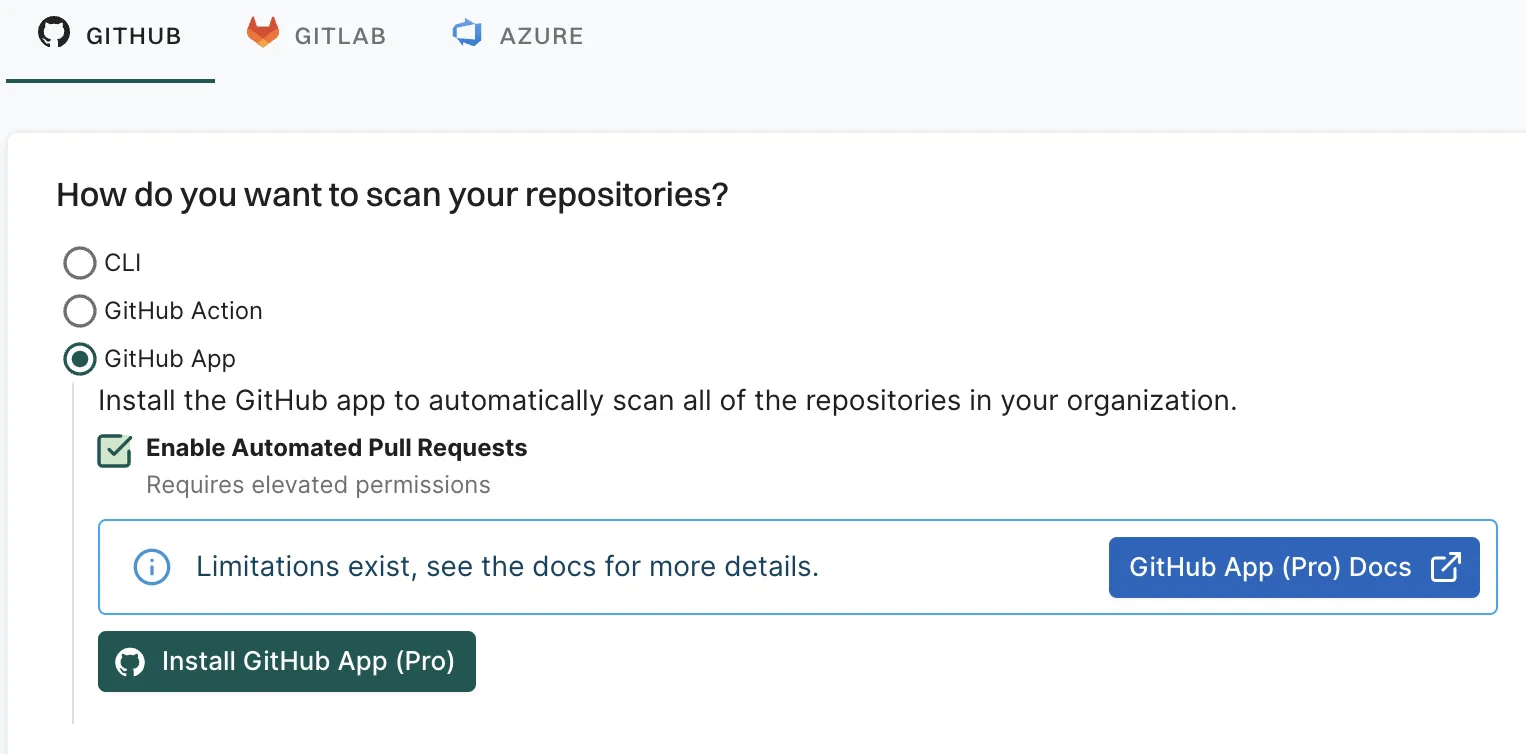
- Click Install GitHub App (Pro). You will be redirected to GitHub to install the Endor Labs App (Pro).
- Click Install.
- Select a user to authorize the app.
- Select the organization in which you want to install the app.
- Select whether to install and authorize Endor Labs on all your repositories or select the specific repositories that you wish to scan.
- Review the permissions required for Endor Labs and click Install and Authorize.
If the button to install says Install and Request instead of Install and Authorize, you don’t have permission to install the GitHub App. Use the endorctl command line interface or select Install and Request to notify your organizational administrator of your request to install. If you select Install and Request your installation will not be active unless your organizational administrator approves the request to install GitHub App.
-
Choose a namespace and click Next.
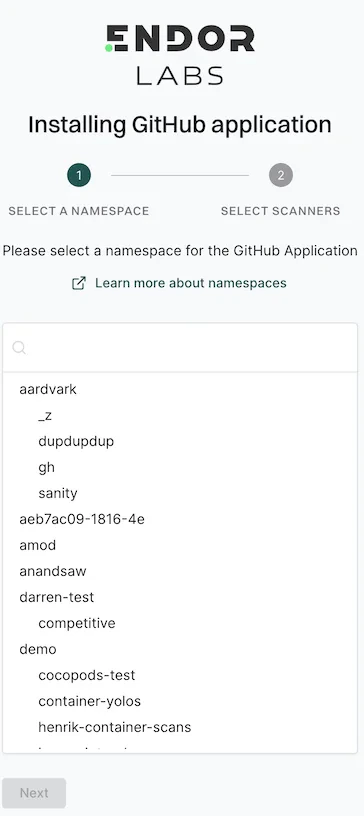
-
Based on your license, select and enable the scanners.
The following scanners are available:
- SCA: Perform software composition analysis and discover AI models used in your repository.
- RSPM: Scan the repository for misconfigurations. RSPM scans run every week on Sundays.
- Secret: Scan the repository for exposed secrets.
- GitHub Actions: Scan the repository and identify all the GitHub Actions workflows used in the repository.
- SAST: Scan your source code for weakness and generate SAST findings.
-
Select PULL REQUEST SCANS to set preferences for scanning pull requests submitted by users.
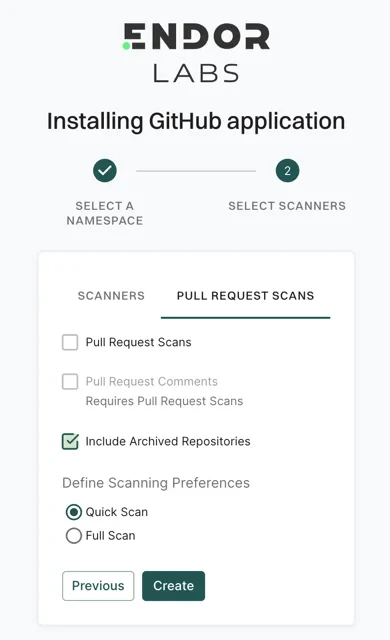
- Select Pull Request Comments to enable GitHub Actions to comment on PRs for policy violations.
- Select Include Archived Repositories to scan your archived repositories. By default, the GitHub archived repositories aren’t scanned.
-
In Define Scanning Preferences, select either:
- Quick Scan to gain rapid visibility into your software composition. It performs dependency resolution but does not conduct reachability analysis to prioritize vulnerabilities. The quick scan enables users to swiftly identify potential vulnerabilities in dependencies, ensuring a smoother and more secure merge into the main branch.
- Full Scan to perform dependency resolution, reachability analysis, and generate call graphs for supported languages and ecosystems. This scan enables users to get complete visibility and identifies all issues dependencies, call graph generation before merging into the main branch. Full scans may take longer to complete, potentially delaying PR merges.
- Click Continue. You have successfully installed the GitHub App (Pro).