Vulnerability searches are supported only for identifiers included in the
meta.name or spec.aliases fields.Search for a vulnerability
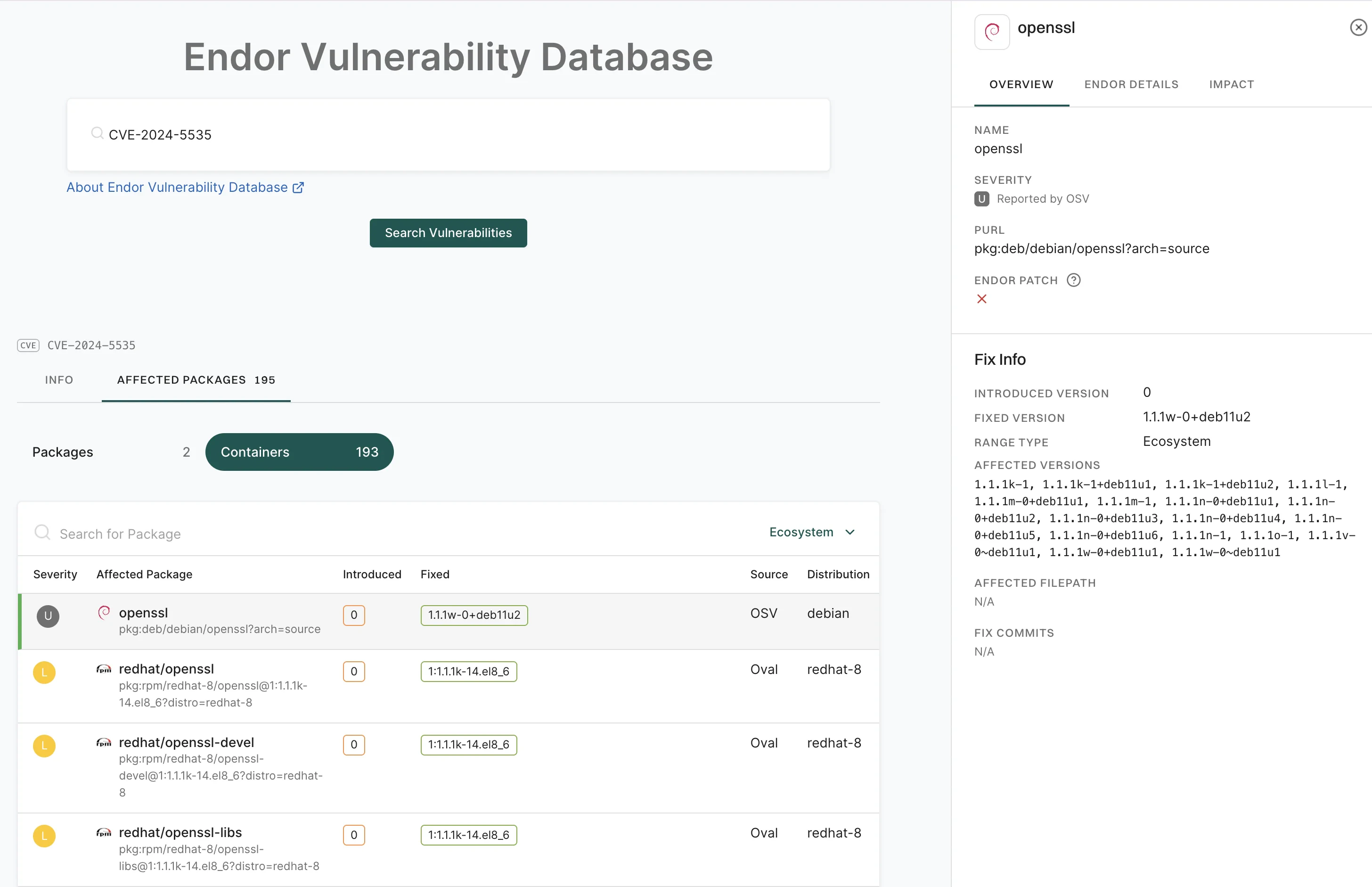
Search for vulnerabilities using supported security identifiers across your software dependencies.- Sign in to Endor Labs and select Discover > Vulnerabilities from the left sidebar.
-
Type a search query using a vulnerability ID (for example, CVE, GHSA) and click Search Vulnerabilities.
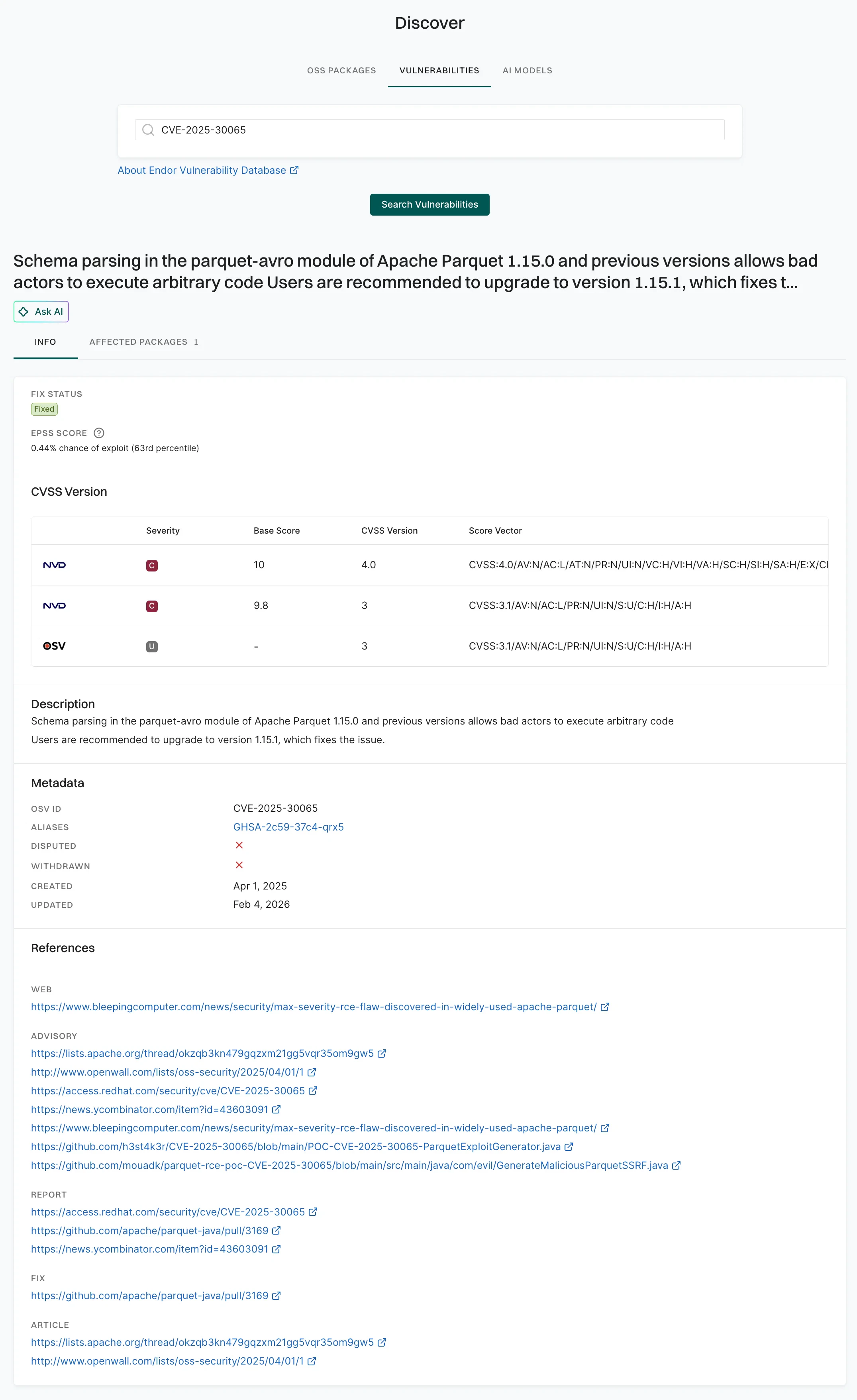
- Select Affected Packages to view a list of all software packages impacted by the identified vulnerability, including their names, introduced and fixed versions, and the source of the vulnerability data.
-
Select a package to view its details.
-
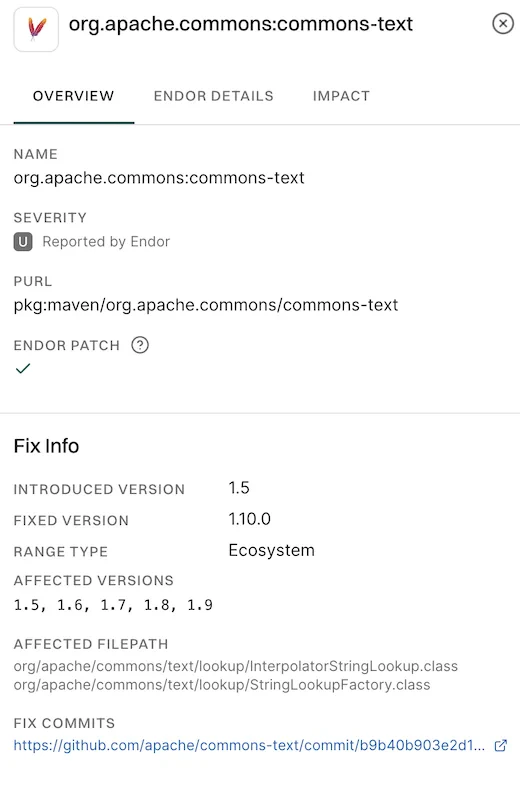
Overview: Shows affected and fixed versions, severity, available patches, impacted classes, and a link to the fix commit. It helps users understand the issue and take necessary remediation steps.
-
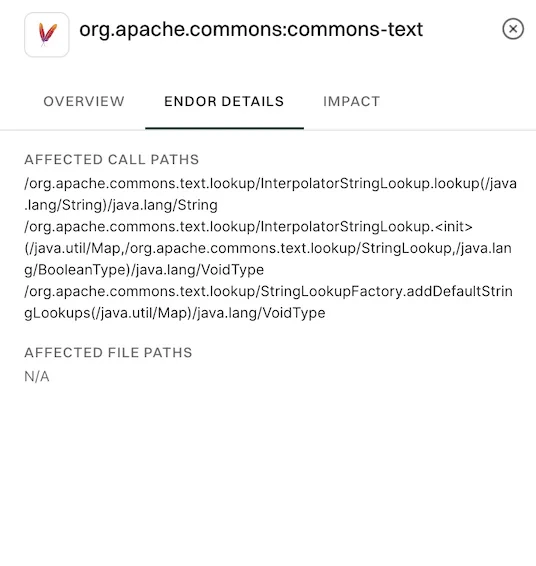
Endor Details: Shows affected call paths and file paths to help identify where the vulnerable code is used and how it may be triggered in the project
-
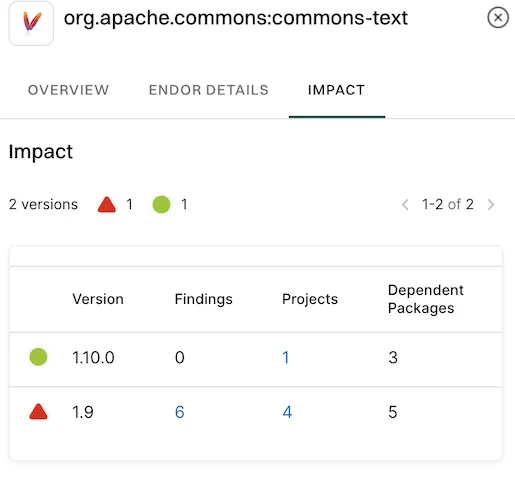
Impact: Shows each package version, along with the number of findings, how many projects use it, and how many other packages depend on it
-
Overview: Shows affected and fixed versions, severity, available patches, impacted classes, and a link to the fix commit. It helps users understand the issue and take necessary remediation steps.
-
Select Containers to see all container images in your organization with known vulnerabilities. It lists which packages are affected, where the issues were introduced, whether fixes are available, and the severity of the issues.