

- Complete the prerequisites to use AI security code review with endorctl.
- Set up the environment variables required to run endorctl for AI security code review.
- Install and authenticate endorctl, build your project, and run a scan. Scanning the repository creates the project in Endor Labs that you can use to configure the scan profile.
- Configure a scan profile for AI security code review.
- Enable the security review finding policy.
- Configure an action policy if you want to get comments on your GitHub pull request with the details of the AI security code review.
- Run scans for AI security code review.
- View results of the AI security code review.
Prerequisites to use AI security code review with endorctl
Ensure that the following prerequisites are met before using AI security code review with endorctl:- An active Endor Labs subscription with Endor Code Pro license.
- Access to configure scan profiles and policies
- Code Segment Embeddings and LLM Processing enabled in Data Privacy settings
- A GitHub token with appropriate permissions.
Enable Code Segment Embeddings and LLM Processing
Perform the following steps to enable code segment embeddings and LLM processing:- Select Settings from the left sidebar.
-
Select SYSTEM SETTINGS > Data Privacy.
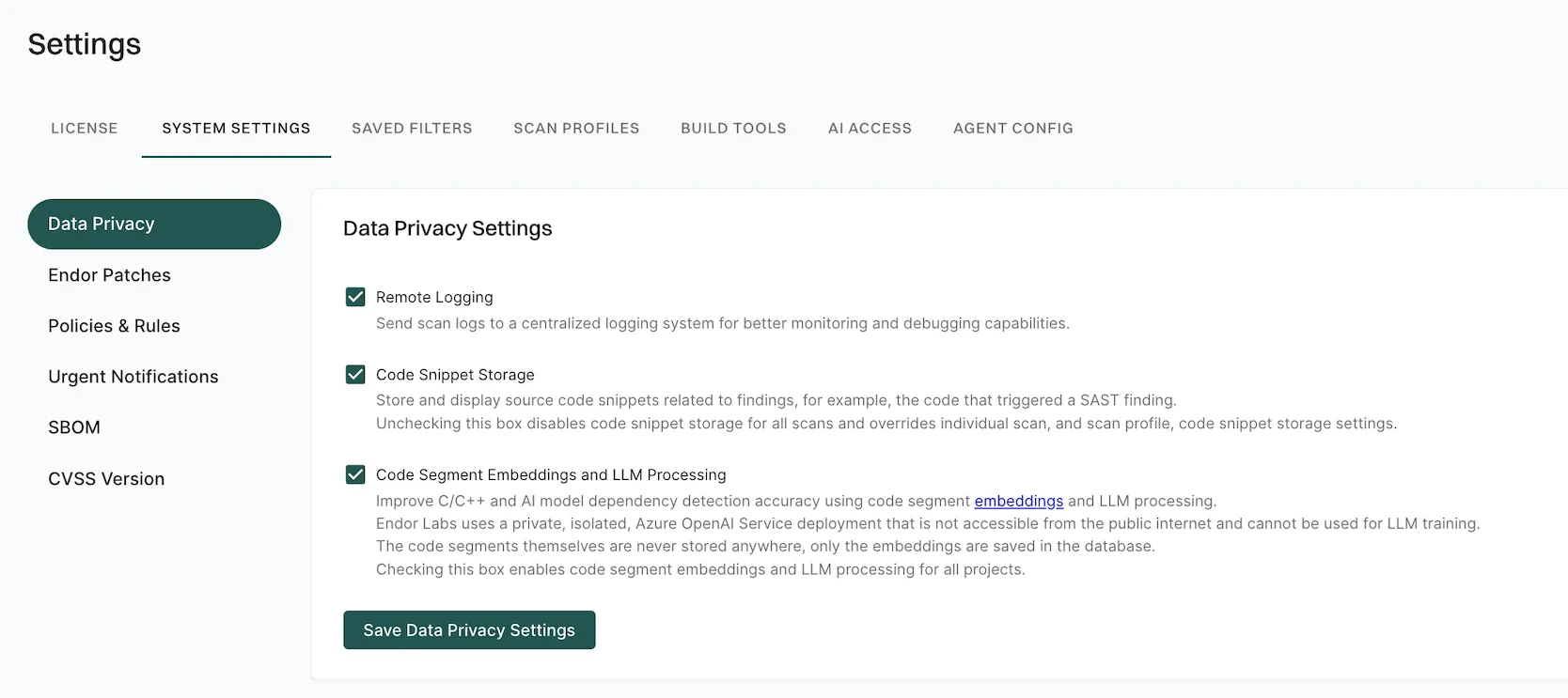
- Select Code Segment Embeddings and LLM Processing.
- Click Save Data Privacy Settings.
Verify license and feature access
Perform the following steps to verify your license and feature access:- Select Settings > License from the left sidebar.
- Verify that you have Security Review in Products and Features.