- Sign in to Endor Labs and select Integrations from the left sidebar.
-
Click Manage next to GitLab under Source Control Managers.
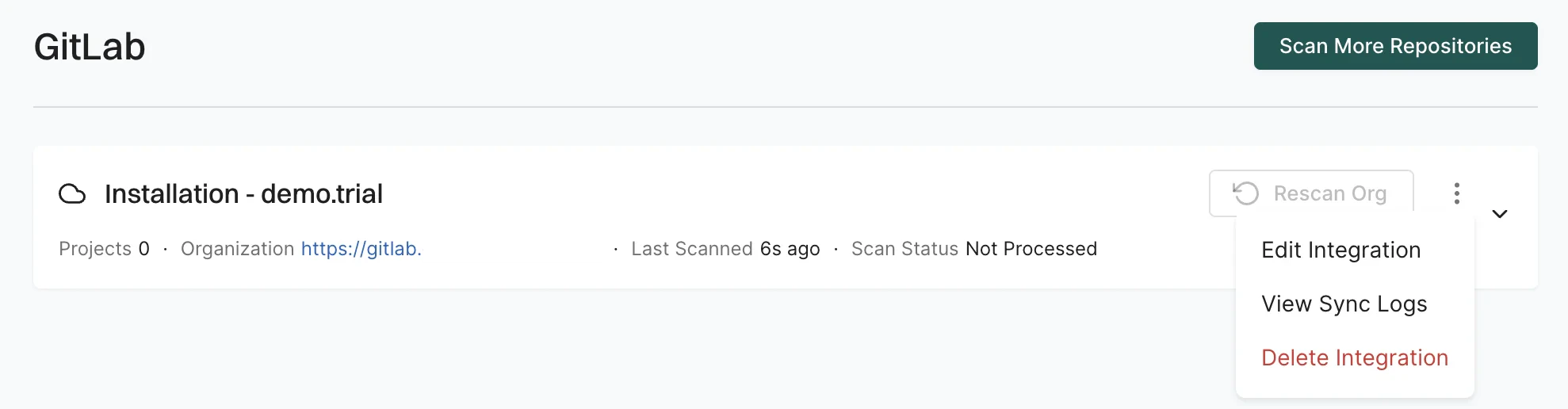
- Click the three vertical dots next to the integration. You can choose from the following options:
Edit GitLab App integration
To edit the GitLab App integration:- Click the three vertical dots next to the integration, and select Edit Integration.
-
You can update your personal access token and choose the scanners.
 \
\
-
Select Merge Request Settings to edit the MR scans configuration.
See GitLab App MR scans for more information.
Scope of the Personal Access Token
Replace the personal access token with the personal access token of a project developer (minimum) role with theapiscope for MR scans. - Click Save. The changes are applicable from the next scanning cycle.
Delete Endor Labs GitLab App
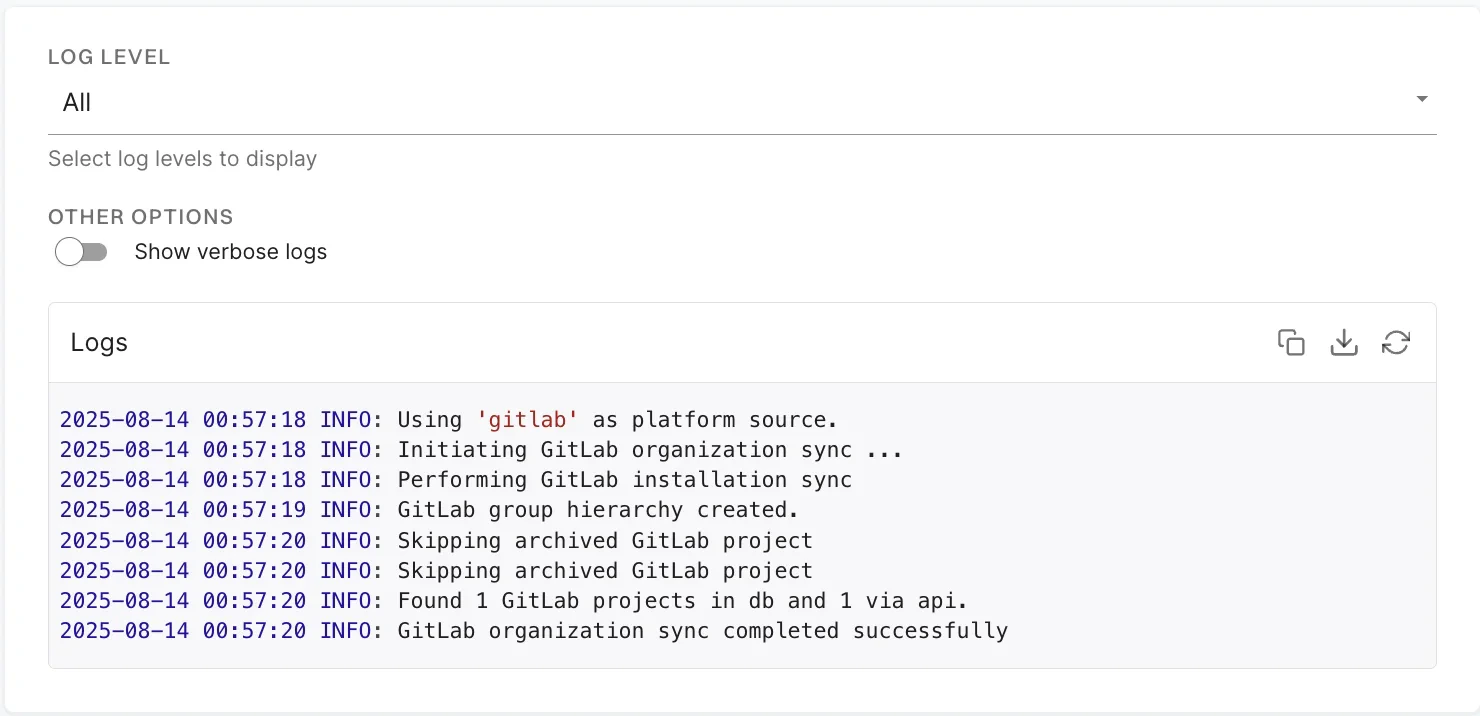
To delete a GitLab App integration, click the three vertical dots next to the integration, and select Delete Integration.View sync logs
Endor Labs detects and reports installation and synchronization errors during organization sync. These include expired tokens, insufficient permissions, invalid host configurations, and certificate issues. Sync logs report those errors that you can resolve.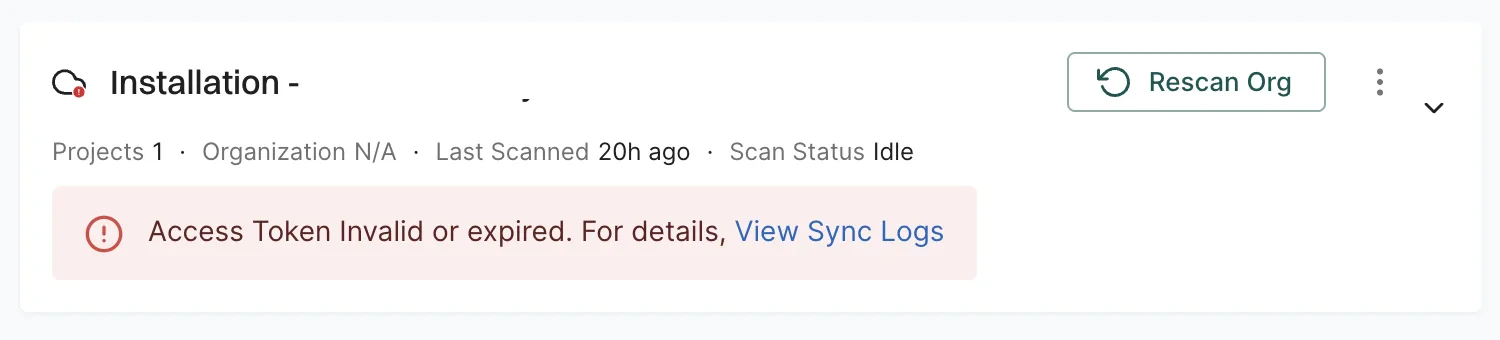
Types of errors
The sync logs detect and display the following categories of sync failures:- Expired or invalid Personal Access Tokens (PATs): The PAT used for authentication has expired or is no longer valid. Edit the integration and provide a valid token.
- Insufficient PAT permissions: The PAT does not have the required scopes, such as repository read access. You must generate and provide a PAT with the correct access.
- Certificate related access issues: The certificates required to connect to the SCM are invalid, outdated, or untrusted. This error occurs in self-hosted GitLab instances that use custom SSL certificates. Update the certificate configuration or ensure the certificate chain is properly trusted to resolve the issue.
- Incorrect or invalid host URLs: The configured URL is incorrect or unreachable. Since you cannot edit the host URL, you need to delete and reinstall the integration using the correct URL.