

- System rules: Endor Labs provides out-of-the-box rules for secret patterns for many public services like GitHub, GitLab, AWS, Bitbucket, Dropbox, and more.
- Custom rules: If you are using a service that is not included in the out-of-the-box list of secret patterns provided by Endor Labs, you can build your own custom rule to scan and detect the secrets for any service.
Create a secret rule
- Select Policies & Rules from the left sidebar.
- Select Secret Rules.
-
Click Create Secret Rules.
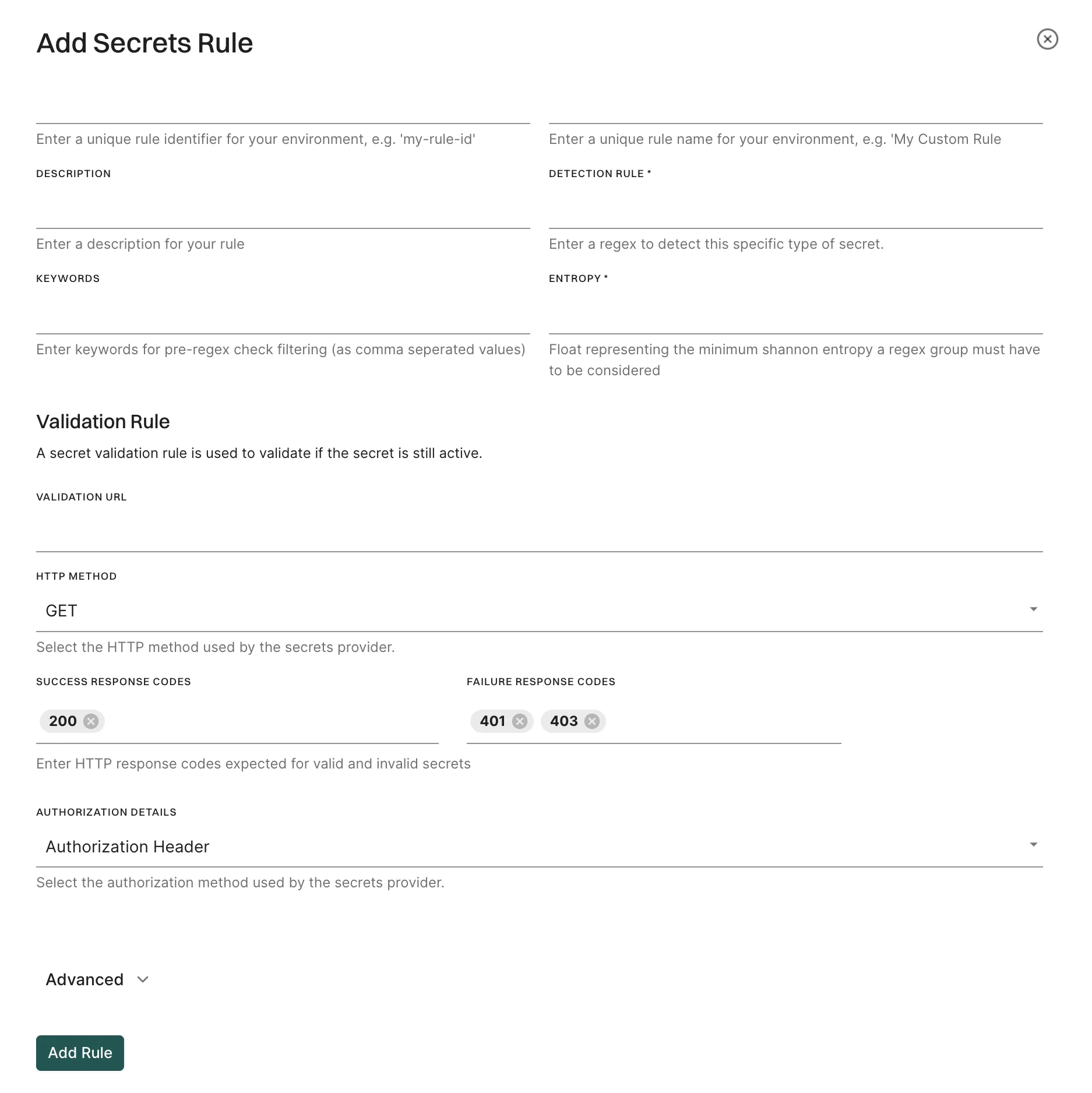
- Enter the unique Rule Identifier and Rule Name.
- Enter the Description of the secret rule.
- Enter the regex for the secret rule in Detection Rule.
- Enter keywords for pre-regex check filtering as comma separated values in Keywords.
- Optionally, enter the minimum Shannon entropy a regex group must have to be considered in Entropy.
-
Optionally, add validation details to validate the secret:
- Validation URL: Enter the URL for validation.
- Validation Method: Choose between GET and POST methods.
- Success Response Codes: Enter valid response codes (For example,
200for HTTP Status OK) - Failure Response Codes: Enter invalid response codes (For example,
401for HTTP Status Unauthorized) - Authorization Details: You can choose between Authorization Header, Bearer Token, and Basic Authentication.
- Select Propagate this rule to all child namespaces to apply the secret rule to all child namespaces.
- Click Add Rule.
Create secret rules from the command line
For example, consider a token “demo_value123” can be described using a regular expression. Here is an example of the rule specification:Validator
You can use a validator to check if a discovered secret is valid or not. The Endor Labs system rules for secrets include the necessary validator. When you validate a secret, the finding for that secret is categorized as critical, ensuring it receives higher priority compared to others. When defining a custom rule, you can add your own validator from the command line or from the user interface. The system uses this information to send an HTTP request such as a GET or POST to the address specified by the public service for the detected secret. For example, when a GitHub Personal Access Token named “ghp_endor123” is detected, the system sends the following HTTP request to GitHub’s address:HTTP request header
HTTP request header is a set of key-value pairs that should be added to the header.{{.Value}} pattern.
For the HTTP header section that includes the secret, the block looks like the following snippet.
{{.AuthzValue}}.
The following table describes a special case where the key-value pair is marked with the authz flag and is used to craft the “Authorization” part of the header, where three options are supported.
Manage secret rules
- Select Policies & Rules from the left sidebar.
-
Select Secret Rules.
The list of all secret rules appears.
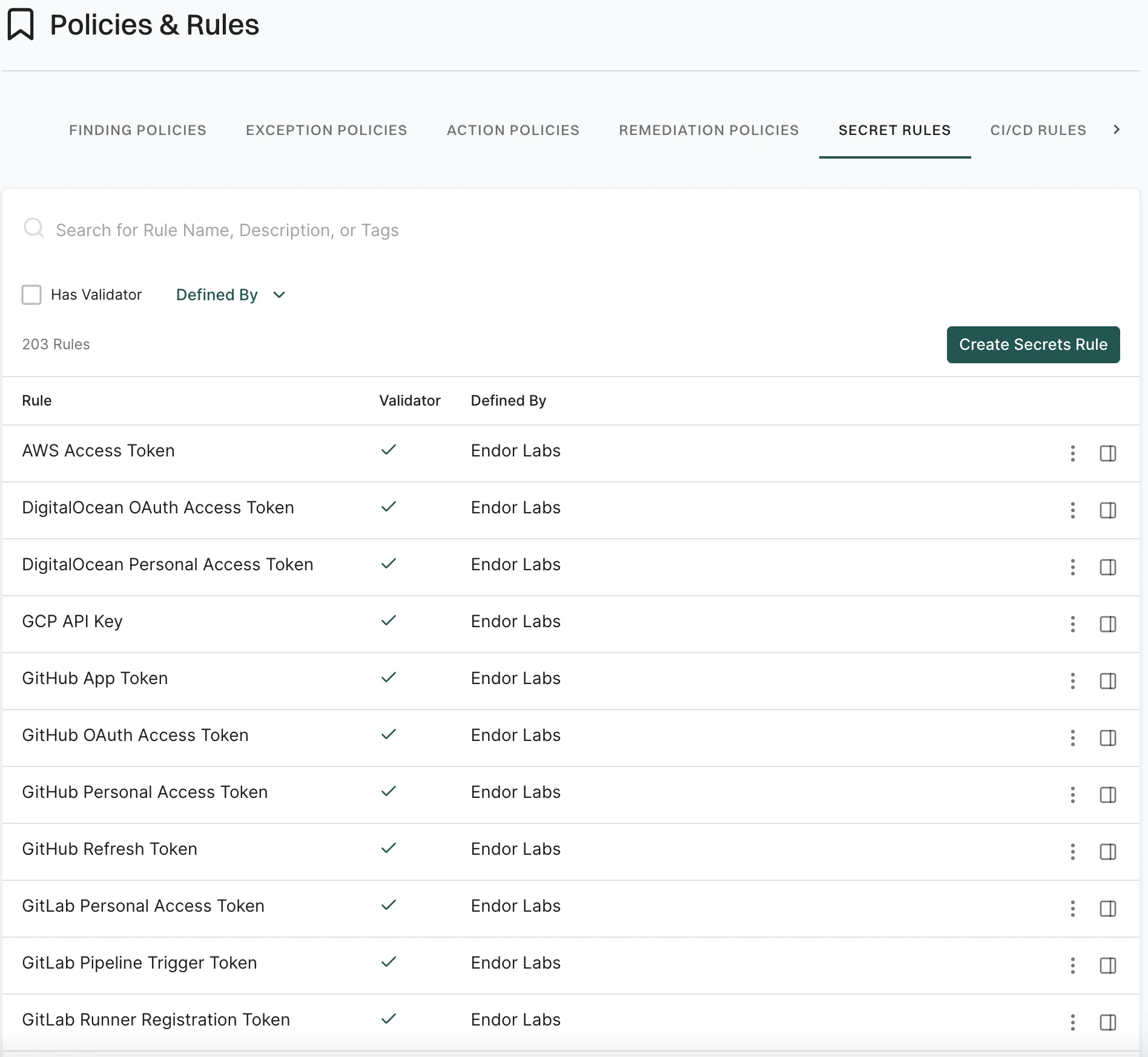
-
Select the rule for which you want to view the details.
The rule details appear in the right sidebar.
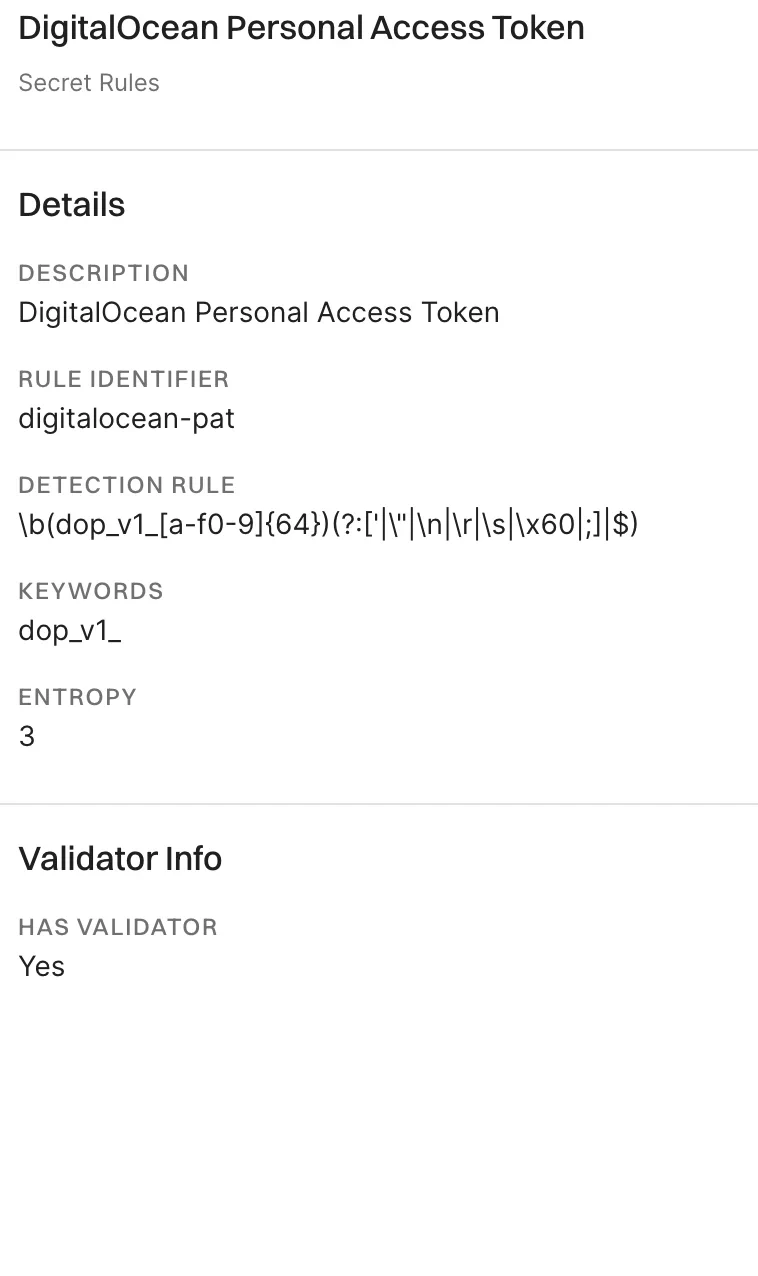
Clone a secret rule
Click the three vertical dots on the right side of the rule and select Clone Rule. The cloned rule appears in the list of secret rules and you can edit it.Edit a secret rule
Click the three vertical dots on the right side of the rule and select Edit Rule. You can only edit the custom rules that you created or the system rules that you cloned.Fetch secret rules with endorctl
To fetch the Endor Labs secret scanning rules from the command line type the following commands:GitHub Personal Access Token or by the rule-id github-pat: