

- You can make changes to a rule and review the results instead of directly editing an existing rule.
- You can create a clone of a rule that you do not have permission to edit and make your changes.
- Select Policies & Rules > SAST RULES from the left sidebar.
-
Click the vertical three dots next to a rule and select Clone.
A copy of the rule appears in the list of rules with the rule name in the format,
<original rule name\>-\<number of the clone\>. For example, if you clone the ruleArbitrary Code Execution - Unsanitized inputsfor the first time, a clone rule is created with the name,Arbitrary Code Execution - Unsanitized inputs-1.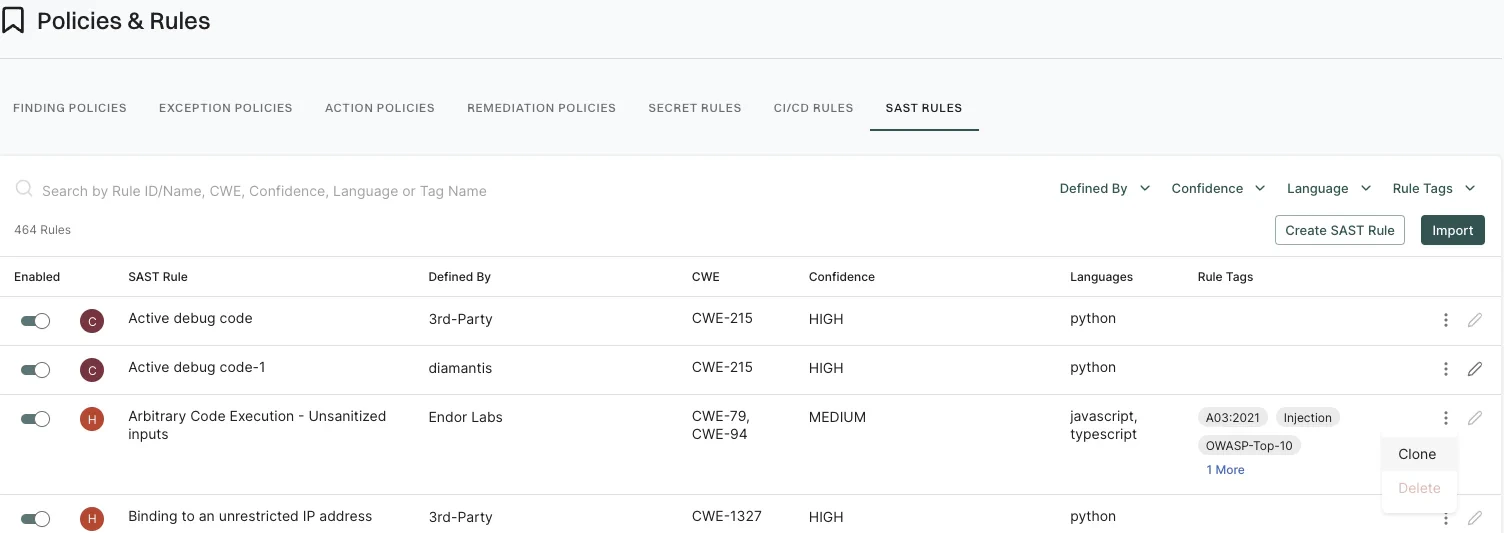
- Click edit to the cloned rule to edit the cloned rule according to your requirements. See Edit a SAST Rule for more information.