

Create a remote repository for Endor Patching
Create a remote repository to fetch artifacts from the Endor Patch repository.- Log in to the JFrog Platform as an administrator.
- In the Administration module, select Repositories.
- Select Create a Repository and click Remote.
- Select Maven from the list of repository types.
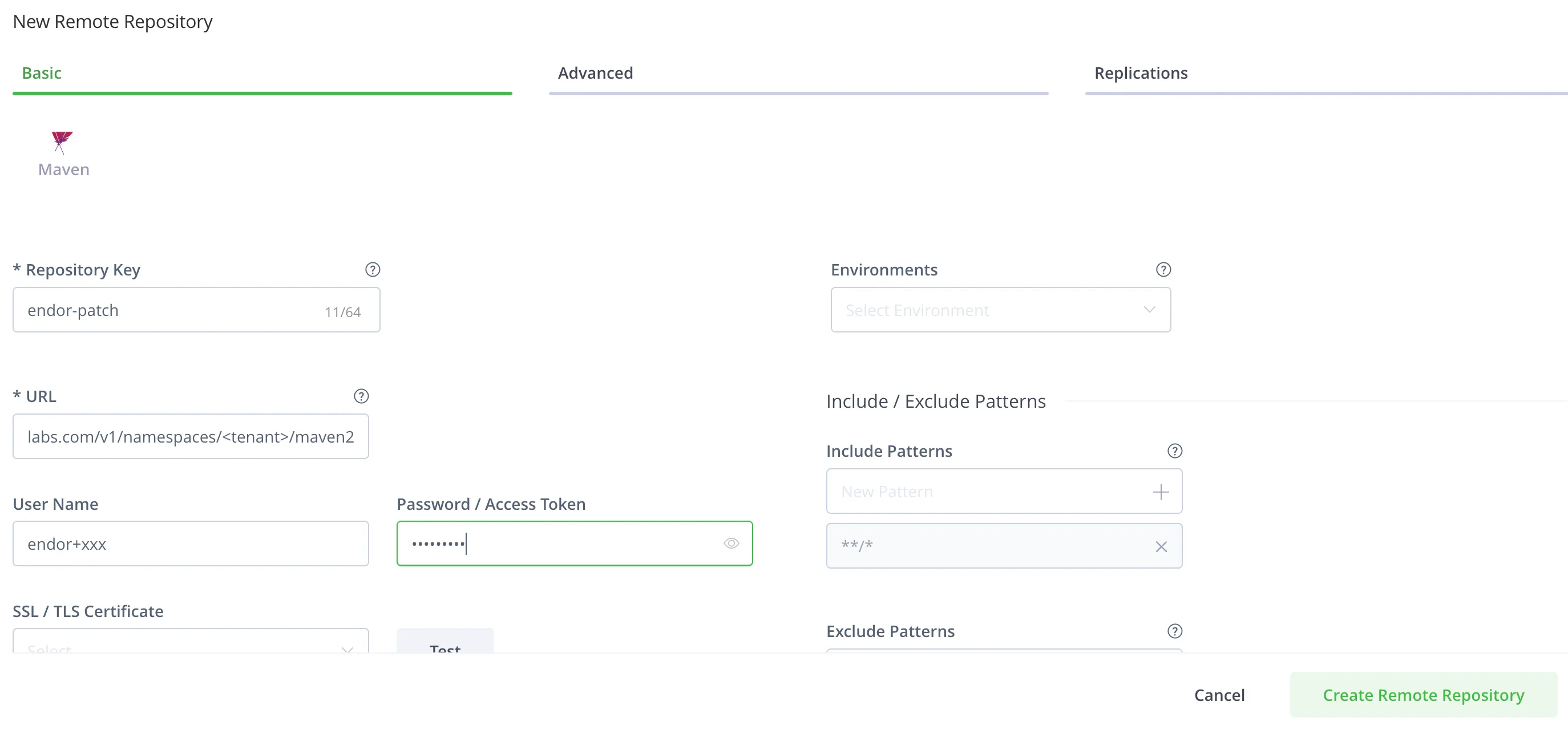
- In Repository Key, enter a name such as
endor-patch. - Create an API Key in Endor Labs to authenticate to the Endor Patch repository with “Read-Only” permissions. See creating an API key for more detail. Keep these details handy.
- In URL, enter the Endor Patch repository URL,
https://factory.endorlabs.com/v1/namespaces/$NAMESPACE/maven2. Replace$NAMESPACEwith your Endor Labs tenant name. - Enter your Endor Labs API Key ID as the User Name and your Endor Labs API Key secret as the password for your new remote repository.
- Click Test to ensure you are able to successfully connect to the remote repository.
- Click Advanced and select Priority Resolution to ensure that the Endor patch repository is prioritized over other remote repositories.
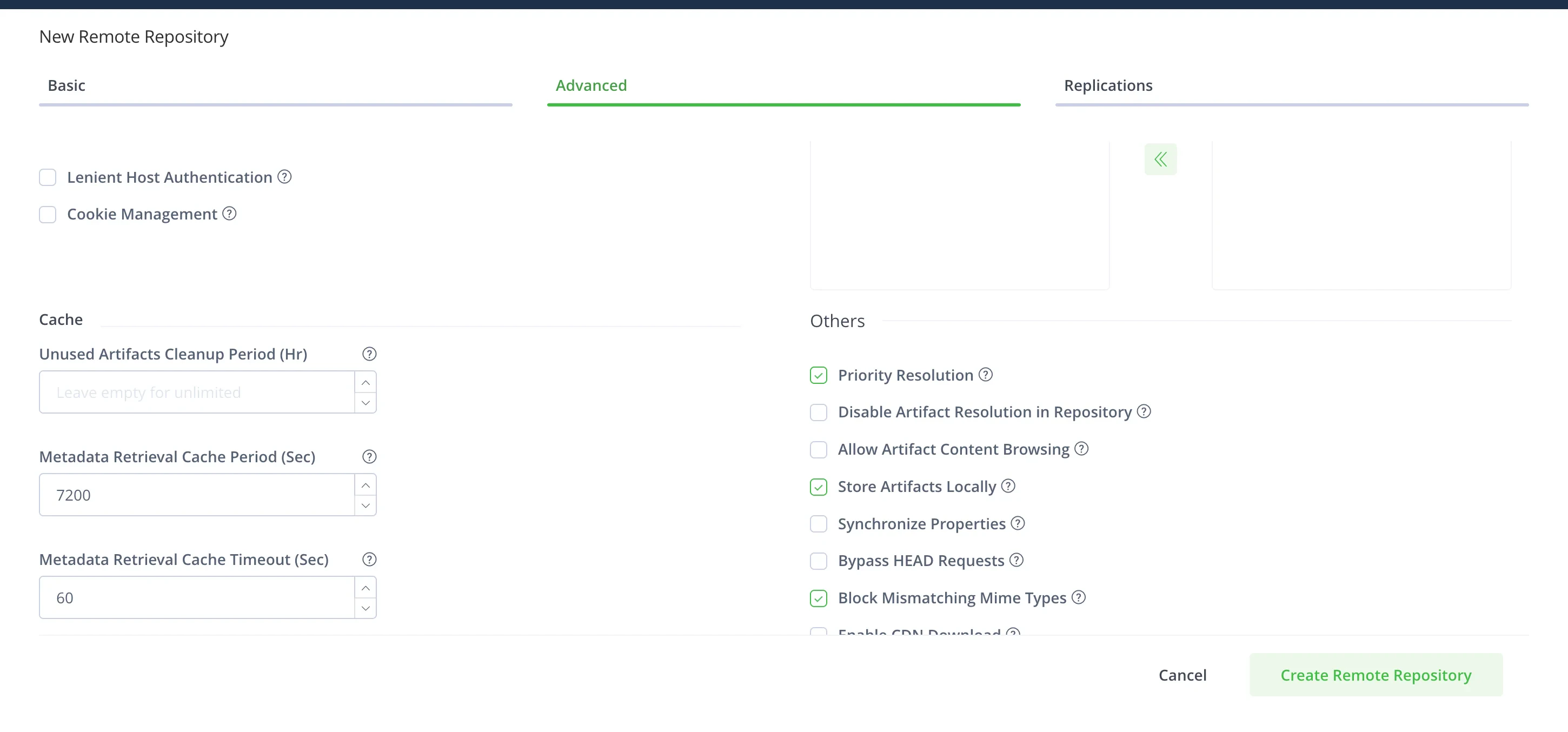
- Click Create Remote Repository.
Create a virtual repository for Endor Patching
Create a virtual repository to simply access to Endor patch repositories and other remote repositories.- Log in to the JFrog Platform.
- In the Administration module, select Repositories.
- Select Create a Repository and click Virtual.
- Select Maven from the list of repository types.
- In Repository Key, enter a name such as
endor-patch. - Add the
endor-patchremote repository to this virtual repository along with other required remote repositories. - Ensure
endor-patchrepository is at the top of the list to prioritize it if you are using auto patching. See the auto patching documentation for more details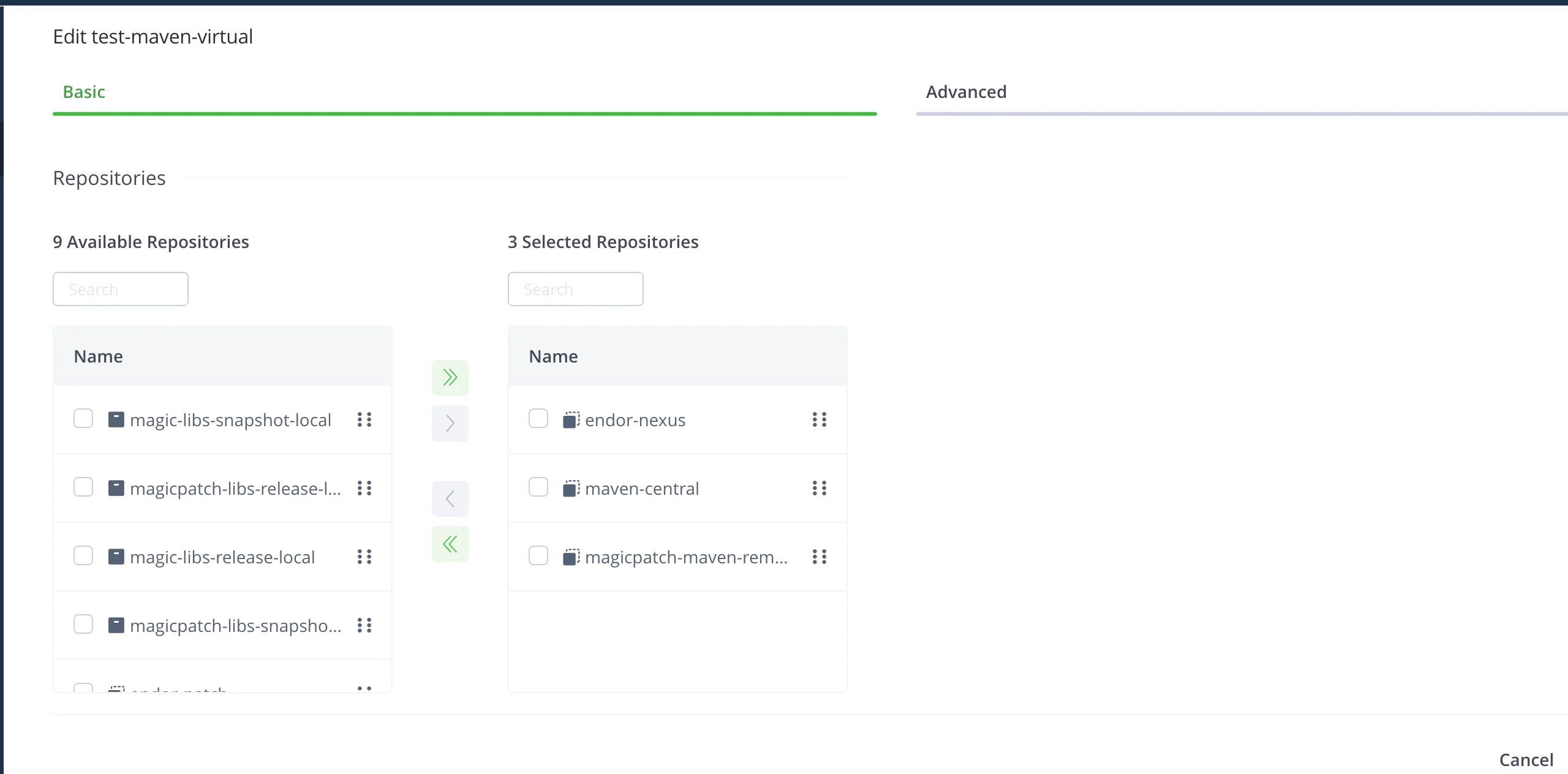
- Click Create Virtual Repository.
Edit an existing virtual repository
Edit an existing virtual repository to access the Endor Patch repositories and other remote repositories.- Log in to the JFrog Platform.
- In the Administration module, select Repositories.
- Select the Virtual tab and click into the existing virtual repository you’d like to edit.
- Under Repositories move the
endor-patchremote repository to the selected repositories. - Ensure
endor-patchrepository is at the top of the list of selected repositories to prioritize it if you are using auto patching. See the auto patching documentation for more information. - Click Save.